

Imagine that a potential customer is walking through your area looking for a service or product that your company offers. With a simple Google Maps search, they can find exactly what they need and, ideally, your business. However, recent data shows that, even today, only 56% of Brazilian companies have their own website. In this context, companies that invest in local and online visibility are ahead of the competition, attracting customers directly to their doors.
Now that you know this, you must be wondering: how do I put my business on Google Maps? The goal of this guide is to help you do that and make the most of the benefits of this strategy, both inside and outside your website builder. In addition to practical instructions, we’ll cover advanced tips for optimizing your presence, strengthening your brand, and increasing your business’s visibility.
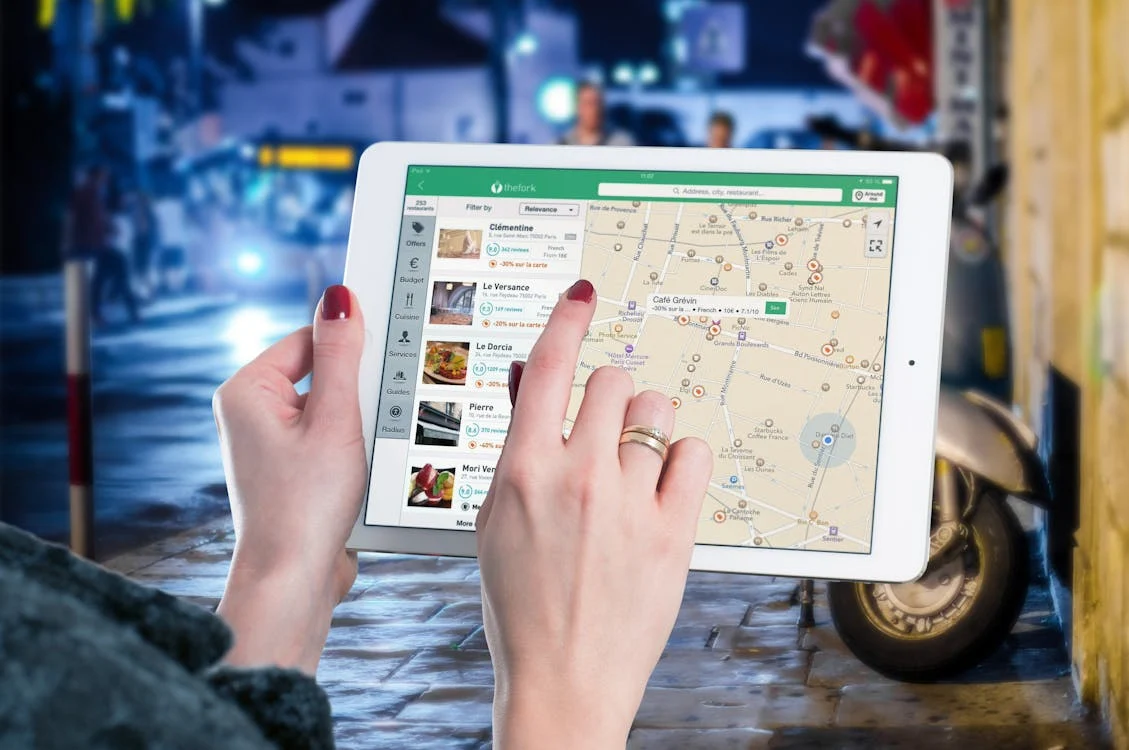
Source: Pexels
Why is Google Maps important?
Google Maps is the most widely used digital map tool in the world, essential for connecting businesses to potential customers in an easy and accessible way. In the digital age, being present on the platform ensures that your business is on the radar of internet users looking for local businesses to make their purchases. In addition to location, data such as operating hours, customer reviews, and contact information are made available directly on the profile, helping consumers make decisions.
Putting your business on Google Maps is a kind of rite of passage to establish your online presence. For customers, finding your business listed on the platform is a sign that you’ve “taken care of the basics” and probably have an optimized customer service flow. Thus, by joining the club, your company gains credibility, accessibility, and competitiveness in the market. The visibility that the platform offers also helps position your business as a reliable and relevant choice in the region.
Reasons to appear on Google Maps
- Visibility: if you want to attract customers to your business, you need to be present in the places they already frequent. By registering your business on Google Maps, you maximize your chances of being found by internet users in your area who are looking for exactly what your company has to offer, generating more sales and conversions.
- Customer trust: when it comes to business, trust is essential for both parties. By listing your business in the “public square” represented by Google Maps, customers have the peace of mind of knowing that they are not the first to do business with you and are not interacting with a “clandestine” business, which conveys more credibility and professionalism.
- Ease of location: even if your products or services are great, most customers will look for another company if they can’t find your physical store easily. By being on Google Maps, your customers can access information such as location, opening hours, and reviews in one place.
- Local SEO: a company optimized for online traffic is also positioned to stand out in the local market. A good presence on Google Maps improves your ranking in Google search results, increasing your reach.
- Interactivity: the tool allows customers to leave their reviews and photos, strengthening your reputation and showing that your company is real and capable of serving real customers with real problems, validating your business for new consumers.
- Engagement: regularly updating your profile, with relevant photos, for example, helps keep your company active in the eyes of visitors, increasing the chances of successful interaction. As your profile evolves, you’ll be able to determine how to appear on Google Maps in the best possible way for your business.


How to put my store on Google Maps
Google My Business
To put your business on Google Maps, the first step is to use the Google My Business platform, also known as Google Business Profile, a free and effective tool for managing how your business appears on Google.
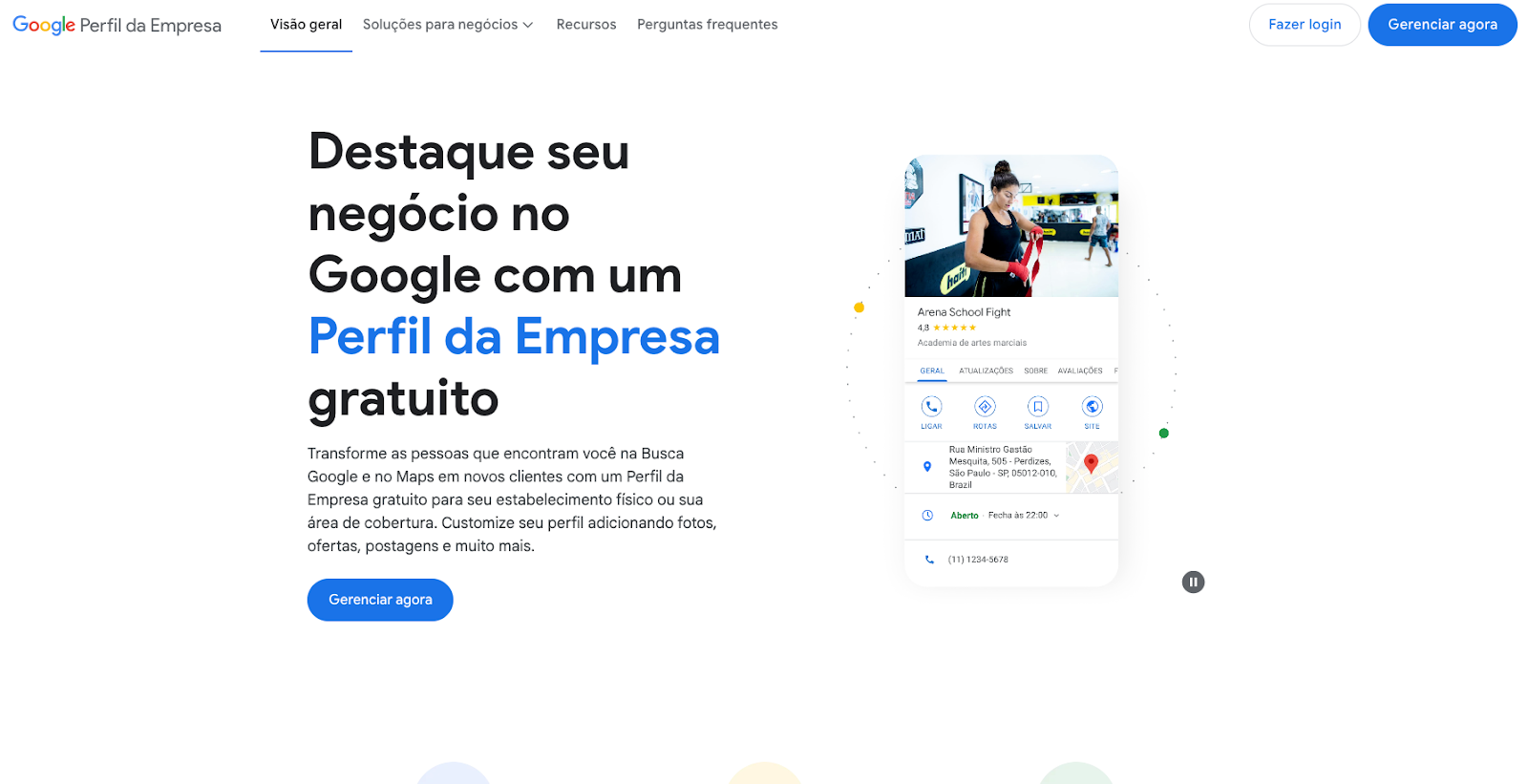
1. Access the Google My Business website
Go to the Google My Business website and click “Manage now.” You can use your own personal Google account or, preferably, create a new one for your business. When you’ve decided which account to use, click the button to start the process.
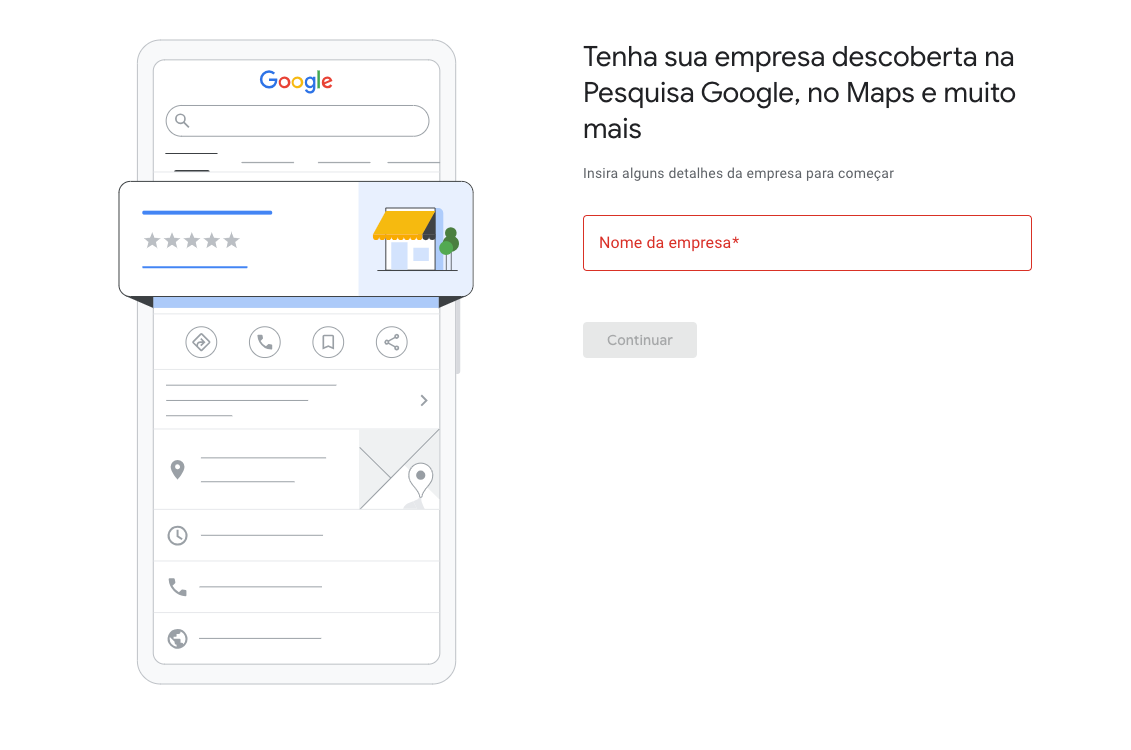
2. Include your company name
Enter your company name exactly as you want it to appear to customers. It’s important to maintain consistency with other marketing channels. It’s not necessary to include the legal business name; you can opt for your company’s trade name or a more descriptive name. For example, let’s suppose there is an agricultural products company called “Cidade Alta.” This company can use “Cidade Alta,” “Cidade Alta - Agricultural Products,” or any other variation of the name, following the way it usually uses it elsewhere.
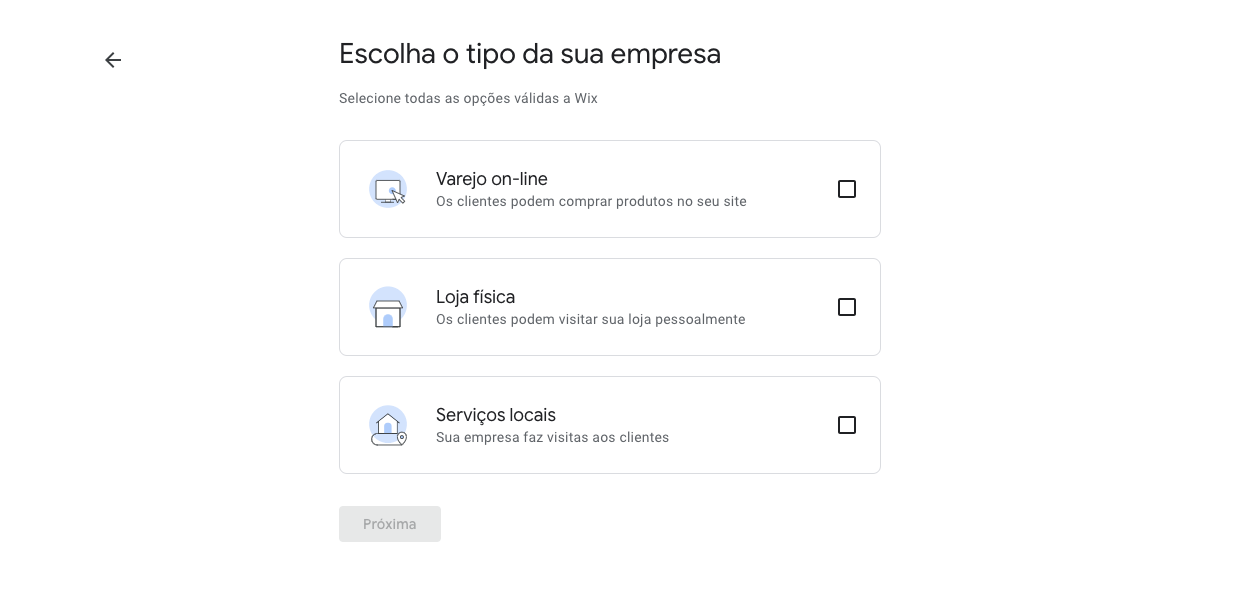
3. Inform your area of operation
Determine the type of service offered by your company and the specific business category it fits into. This will help better classify your services to reach a more qualified audience who knows what they want and is looking for companies like yours.
At this stage, you should also choose whether your company is an online retailer, a physical store, or offers local services, going to the client. You can mark more than one option. Depending on your selection, you may need to include additional information. For example, if your physical store is in a commercial building shared with other businesses, Google may request more details to verify your business and understand why more than one business is registered at the same address.
Choose the location considering whether your company serves customers in a specific location or offers services in a wider area, such as deliveries or home service.
4. Choose display options for your business
Decide which information will be emphasized on Google Maps according to your business objectives. If you want more store visits, include detailed information and photos of the location to make it easier to find.
5. Include contact details
Provide clear and accurate information, such as phone, website, and other means of contact. This ensures that customers can easily interact with your company through the channels they already use, which helps integrate your business into the routine of your potential customers.
6. Provide your address for correspondence and verification
Include your address and a valid phone number to receive the Google verification code. This code confirms ownership of the profile.
7. Fill in other additional information
Add details such as operating hours and an attractive description to highlight the differentials of your company.
8. Complete the inclusion process
Carefully review all information before completing. The verification process can take up to 5 days. After verification, your company will be visible, but you can still edit certain information to control your profile and decide how to appear on Google Maps.
Add directly on Google Maps
“And how do I put my company on Google Maps directly on the map?”, you might be wondering. Fortunately, the method is simple:
- Open Google Maps.
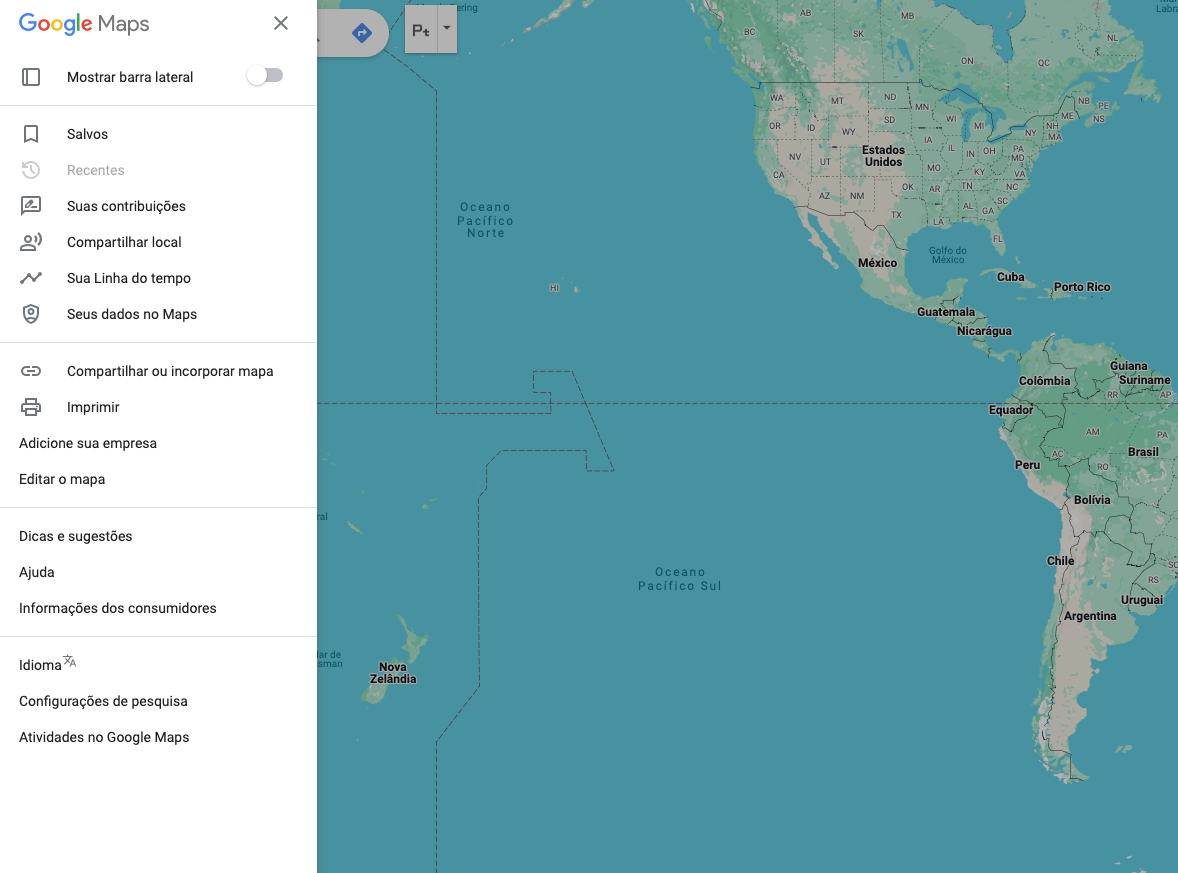
- Click on “Add a missing place” in the left sidebar menu.
- Fill in the requested information, such as name, category, and location, and submit for review.
How to put my store on Google Maps: iOS or Android
If you don’t have access to a computer or prefer to navigate by mobile, it’s possible to complete the process in the mobile version. See the detailed step-by-step on how to appear on Google Maps using mobile devices:
Access the app
To get started, you need to have a Gmail account and the Google Maps app on your mobile device. In the app, click on your profile picture in the upper right corner and select the option “Add your business.” You will then be directed to the Google My Business registration screen.
Start creating the profile
The profile creation is similar to the computer version, requiring the filling of basic data about your company. Enter the company name, category, and other initial information necessary for business identification and verification.
Choose display options for your business
Customize your profile and decide which information will be visible to customers to communicate the most important details.
Include contact details
Add essential information so that customers can easily get in touch. Phone, website, and other communication channels should be clear and accessible.
Provide your address for correspondence and verification
Provide a valid address and phone number to receive the Google verification code. This step is essential to confirm the authenticity of your company and activate the profile on Maps.
Manage and update
After creating the profile, you can add photos, respond to reviews, and post updates directly through the app to manage your online presence.
Tips on how to appear on Google Maps

Business Reviews
Customer reviews are crucial for attracting more people. Encourage your satisfied customers to leave feedback on your profile to prove the quality of your products and services.
- A well-reviewed store increases its relevance, conveys credibility, and helps attract new consumers.
- Respond to all reviews, positive or negative, to show that you value feedback and are actively considering customer opinions.
Google Maps Ads
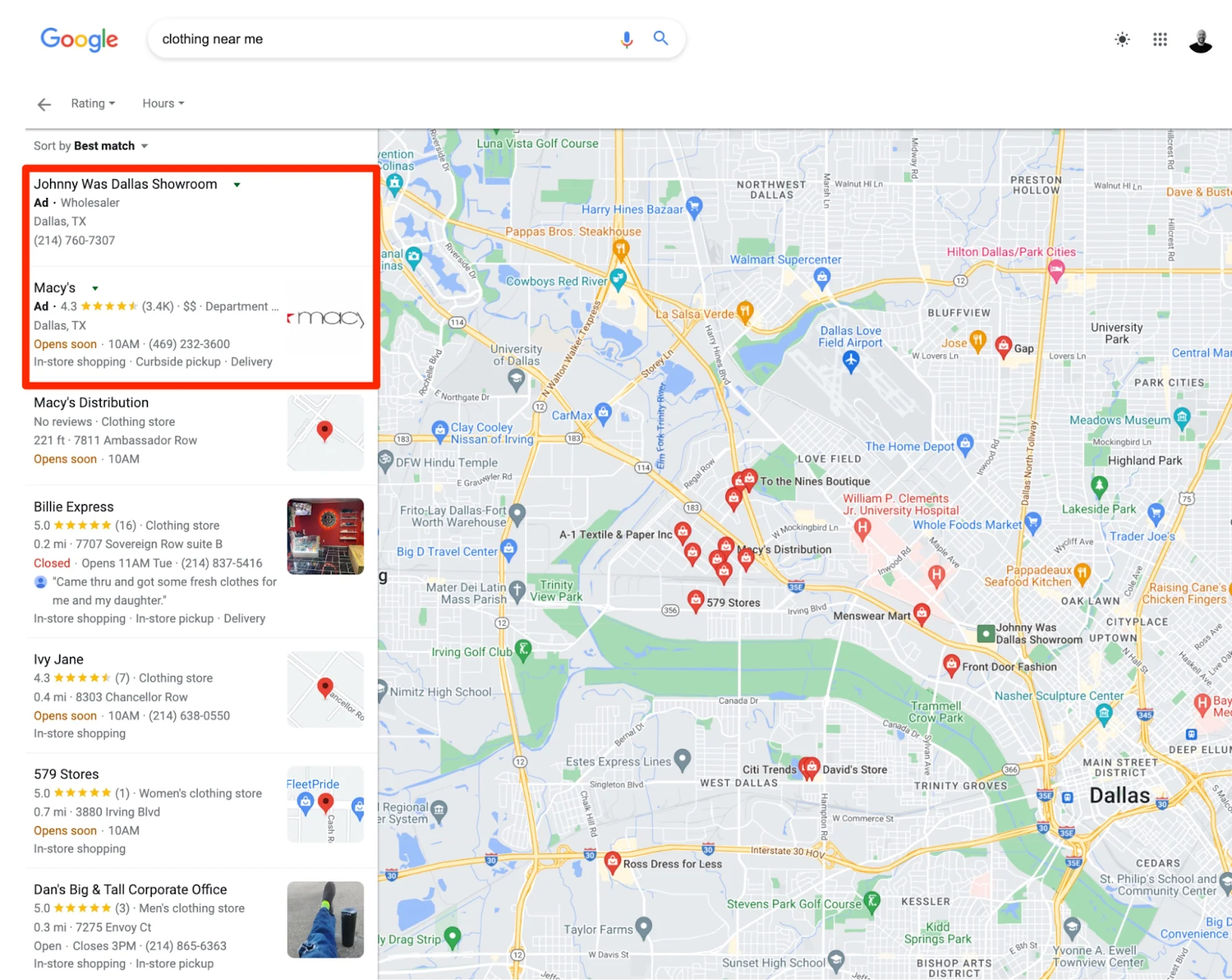
Although business registration is completely free, you can benefit from paid campaigns to prioritize your business in search results. Use Google Ads to create localized ad campaigns, increasing your business’s visibility on Maps.
- This strategy is ideal for reaching specific audiences and highlighting promotions.
- With geographic targeting, you can reach customers in the exact region of interest.
Google My Business Posts
Regularly update your profile with news, promotions, and events to maintain public interest and help Google index your page and associate it with relevant search terms.
- Frequent posts keep your profile active and increase your chances of being found.
- Use attractive images and descriptions to capture the attention of those who visit your profile.
Include photos and videos
Add high-quality images of your establishment, products, or services. Short videos can also highlight the environment or the differentials of your business.
- Profiles with attractive images have a higher chance of interaction.
Conclusion
Listing your business on Google Maps is a fundamental step to increase your visibility and attract new customers. Local SEO has a significant impact on business, allowing you to reach people in your region of interest effectively and strategically.
Now that you understand how to appear on Google Maps, it’s time to act! Follow the steps in this guide to create or optimize your company’s profile and start expanding your brand online. Want to learn more? Understand why local SEO is important by checking out our article. For more digital marketing tips, continue following our content and make your online presence even more impactful.