

Agencies and freelance local SEOs improve clients’ visibility in Google Maps through in-depth Google Business Profile optimization. The profile is the core of local SEO, and optimizing and managing it for clients is a sellable service with its own workflows and rates. That work is what Localo, an automation platform for local SEO specialists, was built to speed up.
Below, I’ll explain what a Google Business Profile is and where the Google Map Pack fits, then break down the four services that make up GBP optimization for clients: audits, profile optimization, ongoing management, and reporting. You’ll also find the eight ranking factors in Google My Business optimization.
The second half covers strategies to manage GBPs at scale (automation, batch operations, team access, and onboarding workflows), the tools and software to match your client base, and what to charge for the work.
What is a Google Business Profile and how does it work?
A Google Business Profile is a free listing that controls how a business appears in Google Maps and Google Search: the name, categories, opening hours, photos, reviews, posts, and contact details all live there. When someone searches for a service closest to them, Google pulls the results from these profiles (not from websites), which is why the profile, not the homepage, decides local visibility.
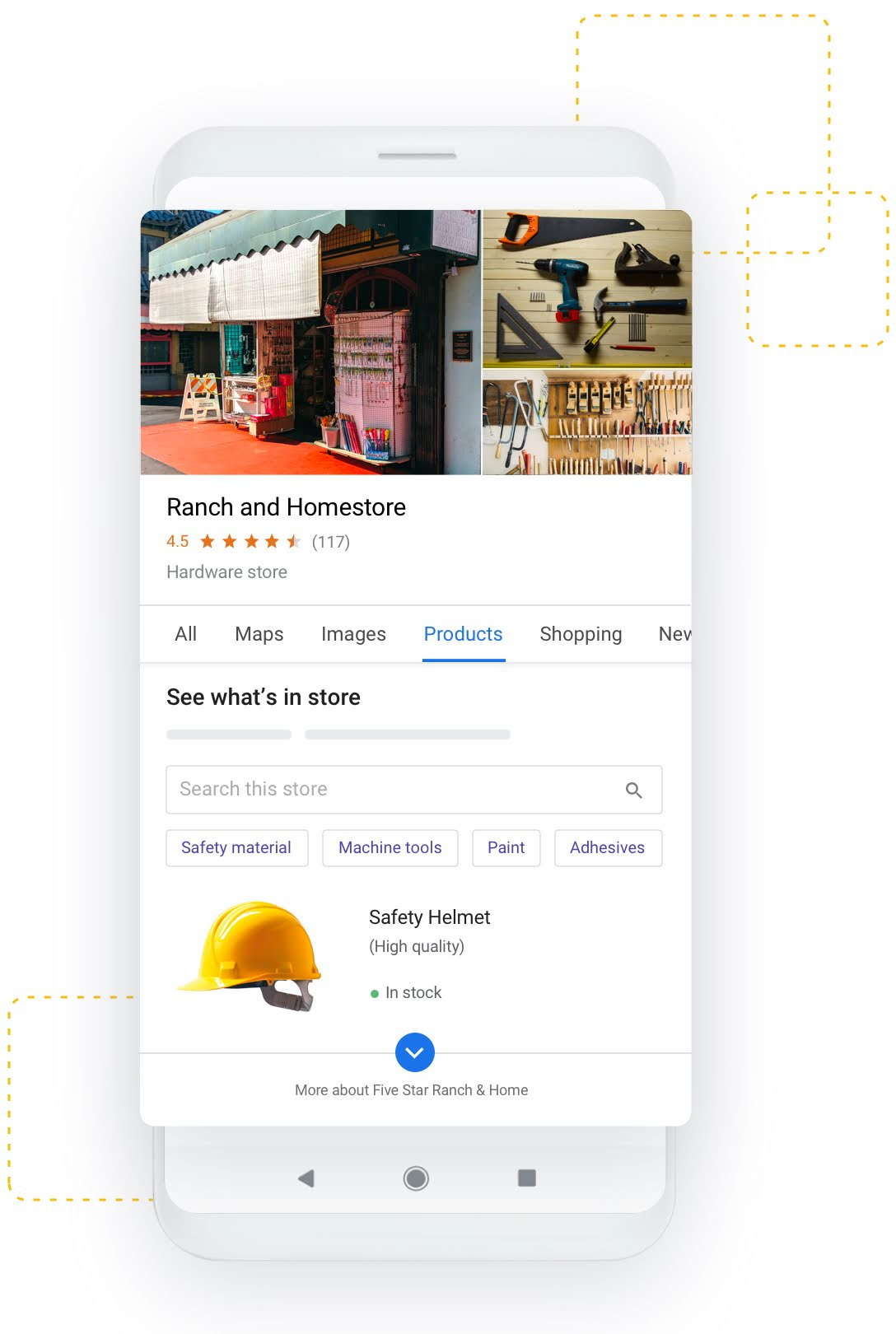
The profile is fed from three sources: what the owner (or you, on their behalf) adds in the dashboard, what customers contribute through reviews, ratings, photos, and questions, and what Google finds across the web, e.g., in local directories. Google also lets anyone suggest edits, so an unmanaged profile drifts out of date on its own. And a naming twist: Google renamed the platform from Google My Business (GMB) in November 2021, and before that it was called Google Places, so expect clients to use all three names interchangeably, or to simply say “my Google listing.”
For you as a professional, the Google Business Profile is the asset you manage on the client’s behalf, and the work pays off in one specific spot in the search results: the Google Map Pack.


What is the Google Map Pack?
The Google Map Pack, also called the local pack or Google 3-pack, is the block at the top of organic search results showing a map and three business listings whenever a query has local intent. It sits above the regular organic results, so it’s usually the first thing a local searcher sees.
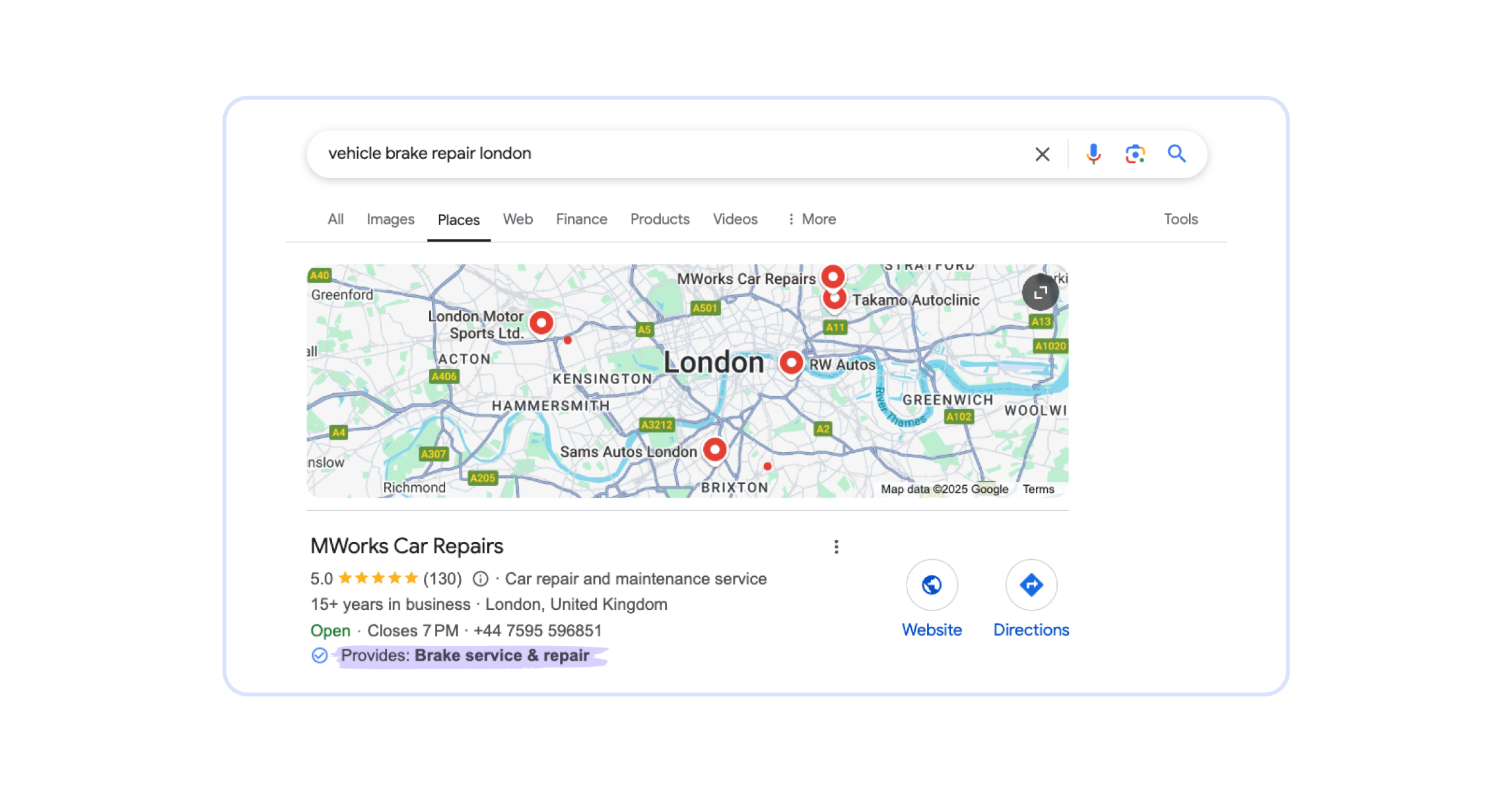
The map pack is also where you show clients what they’re paying for: when their optimized profile enters the top 3, they get the calls, direction requests, and website clicks that used to go to competitors. Every ranking factor I describe below serves this one goal: getting your clients’ profiles into the local pack and keeping them there.
💡 Tip: Don’t expect clients to use any of these terms. I’ve heard prospects ask things like “What’s the word you use to improve the Google profile? Optimize?” You’ll hear “get me on Google Maps” far more often than “GBP optimization.” Mirror their language in proposals and reports, and keep the industry vocabulary for your internal workflows.
What’s typically included in Google Business Profile optimization services?
Doesn’t matter if clients inquire about GBP optimization directly or if you’re creating a proposal for Google Maps SEO services, you must understand what other local SEOs usually mean by these terms to be competitive.
➡️ Google My Business optimization services refer to:
- Complete profile optimization, i.e., filling missing information in the existing GBP and improving its quality
- Ongoing GMB management, i.e., publishing posts, responding to reviews, adding photos, updating the profile
- GBP audits that evaluate current performance in Google local 3-pack for selected keywords
- Reporting to demonstrate value to clients
Local SEOs perform these core GBP optimization services no matter the client’s industry. A typical client portfolio mixes attorneys and law firms, dental practices, healthcare providers, contractors, and restaurants: the verticals that most often pay for GBP optimization help. However, there are some nuances: for example, it’s easier to create visually attractive posts as part of Google Business Profile optimization for a restaurant than for a law firm. But the GBP optimization principles stay the same regardless of the customer’s sector.
Optimizing one Google business listing is a different story than working on dozens of profiles at a time. When you’re starting out, you can perform the required tasks on Google Business Profiles manually. But once your client base grows, you’ll have to use automation strategies to keep delivering results. That’s when the tools I’m describing later in this guide become a necessary investment.
💡 Tip: Assess your client’s understanding of local SEO so you know how to present your services. Non-technical people can feel deterred by the jargon so your offer should focus on how improving Google Maps ranking helps them reach new customers, especially if you try to get local SEO clients that don’t even know what a Google Business Profile is.
Google Maps ranking factors that drive GBP visibility
Several factors drive Google Maps ranking. Clients usually know little about Google My Business (GMB) SEO; they want results. Your job is to turn these factors into repeatable Google Business Profile optimization best practices you can apply to any client. Local pack SEO services need to cover:
Review management
Reputation can make or break a business. Your clients need positive reviews to drive local pack ranking. You can hear them complaining about it, as businesses often feel they have no influence over customer feedback, which isn’t entirely true.
➡️ Businesses should:
- encourage patrons to leave honest reviews
- respond to customer feedback with a personalized reply
- address concerns or issues mentioned in negative reviews
- report to Google any reviews that are fake or misleading
Don’t coach customers on what to write, though, volume is king. Genuine, detailed feedback is still worth encouraging because it converts profile visitors better, and obviously fake reviews full of superlatives get removed anyway.
💡Tip: Responding to negative reviews can improve business reputation. If the contents of a negative review are valid, the owner should apologize, address the issue, and offer a solution. That demonstrates care and commitment to customers.
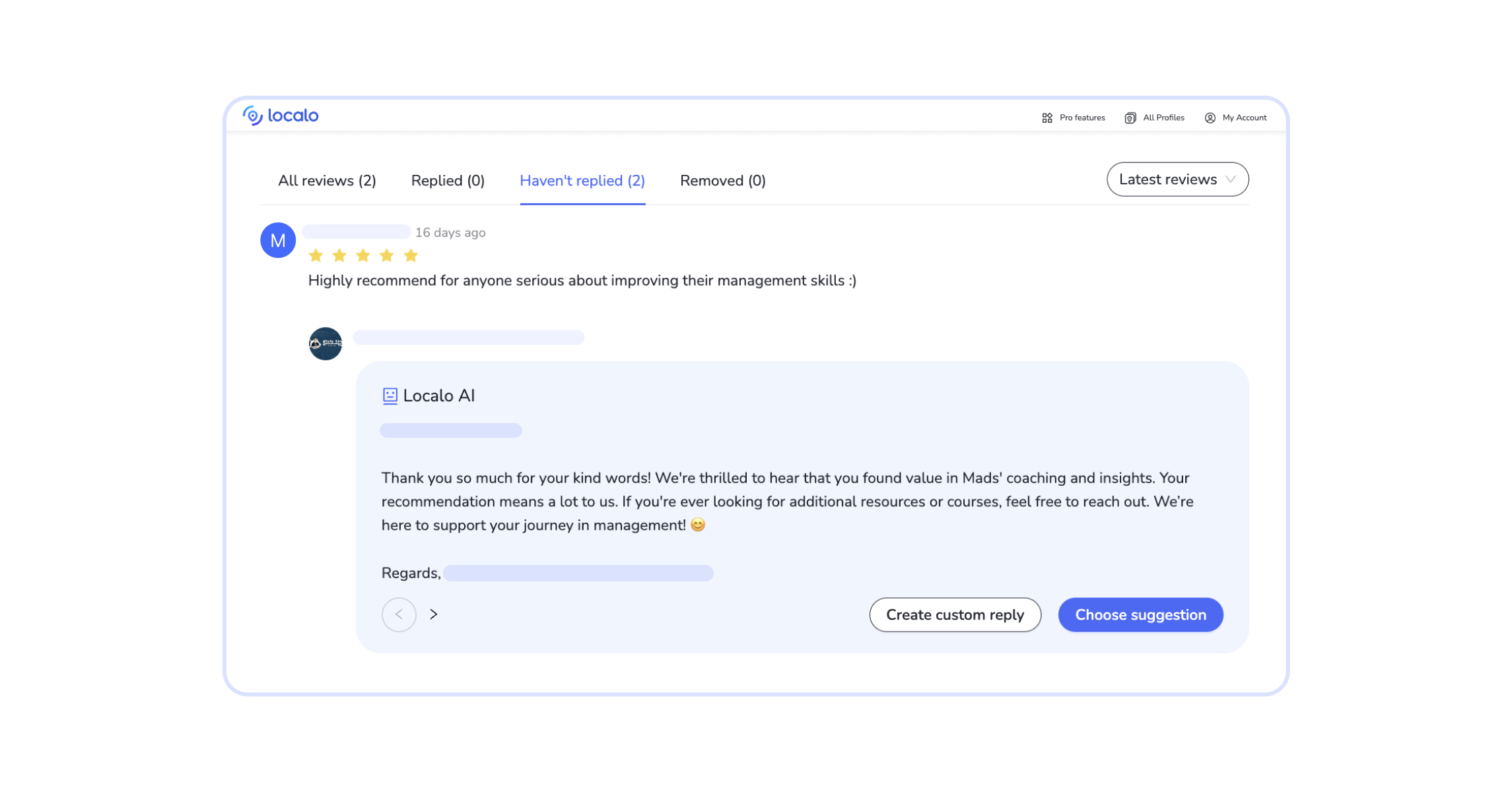
When you work with multiple businesses, handling reviews gets tricky. Review management software such as Localo can automate the repetitive parts (new-review alerts and business-owner-like drafted replies) while you approve every response before it goes live.
GBP photos & media
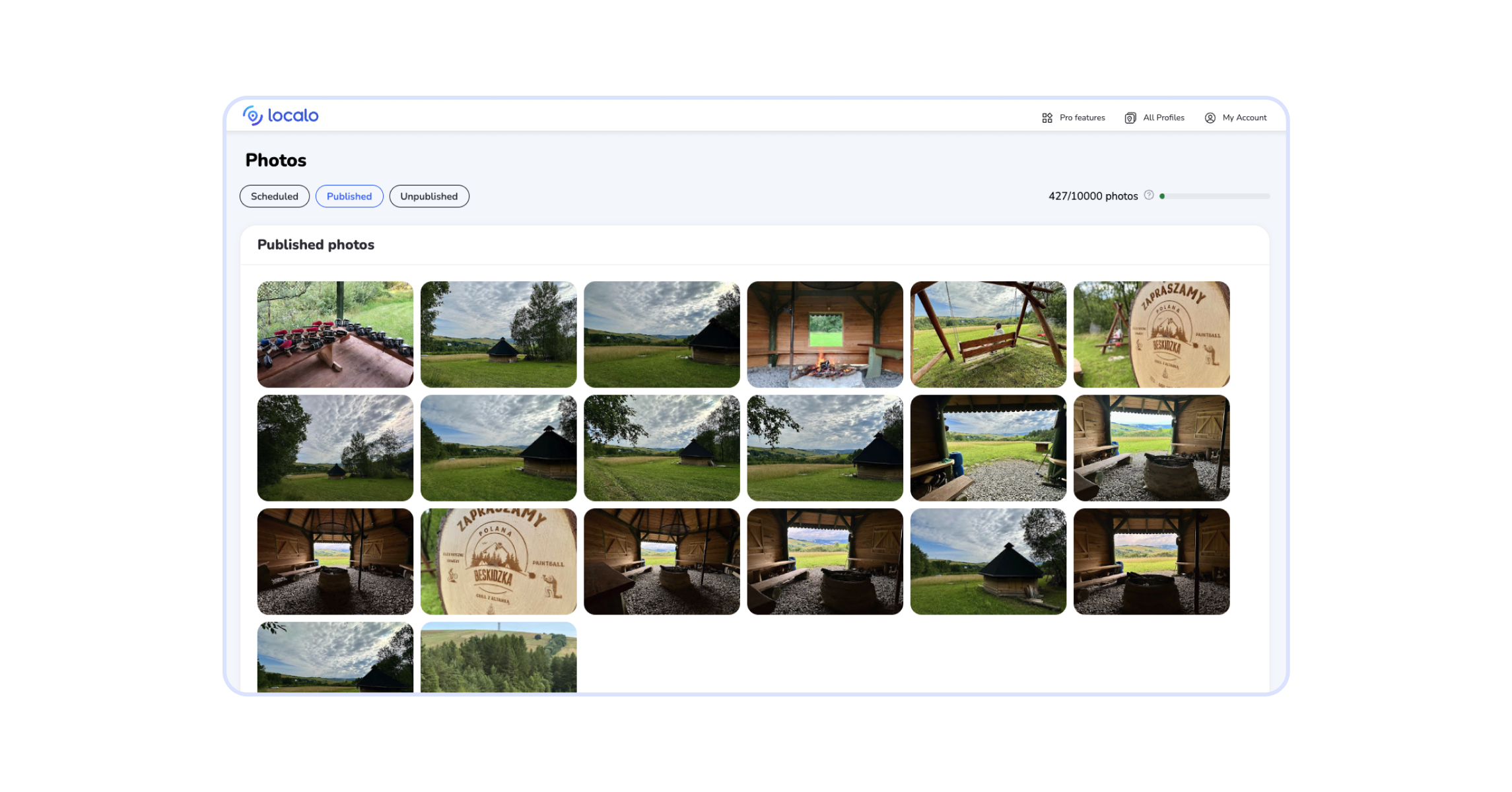
Photo count is one of the strongest ranking factors you can directly control. High-quality images also earn better click-through rates and longer dwell time, which tells Google that users want to engage with a specific GBP. Additionally, photos of the premises, staff, products, and services show to users that the business is legit.
➡️ GBP media guidelines to remember:
- Photos must have a high quality and reflect the business truthfully
- Videos are best under 30 seconds and 100 mb maximum
- File names should be descriptive, e.g., boston-dental-clinic-entrance.jpg
- Alt text improves accessibility and crawling
- Variety is good, e.g., a restaurant can display photos of interiors, owners, kitchen, and flagship menu dishes
- Skip photos that aren’t authentic or could be misleading with cut context
Keywords
Visibility in Google map pack depends on using the right keywords.
Let’s say your client is a real estate lawyer in New York. Performing attorney Google Business Profile optimization should start with selecting local keywords that potential clients use when searching for a lawyer, e.g., real estate lawyer, best attorney in New York, law firm in New York, affordable NYC attorney, and so on.
If you’re a freelancer doing Google local SEO for just a handful of small businesses, you can spot the right keywords by checking your clients’ competitors. But the same approach won’t work for an agency handling multi-location Google Business Profile management, as manual work would take hours. You’ll need a hand from specialized software, a Google My Business management tool that analyzes the client’s profile and suggests relevant keywords.
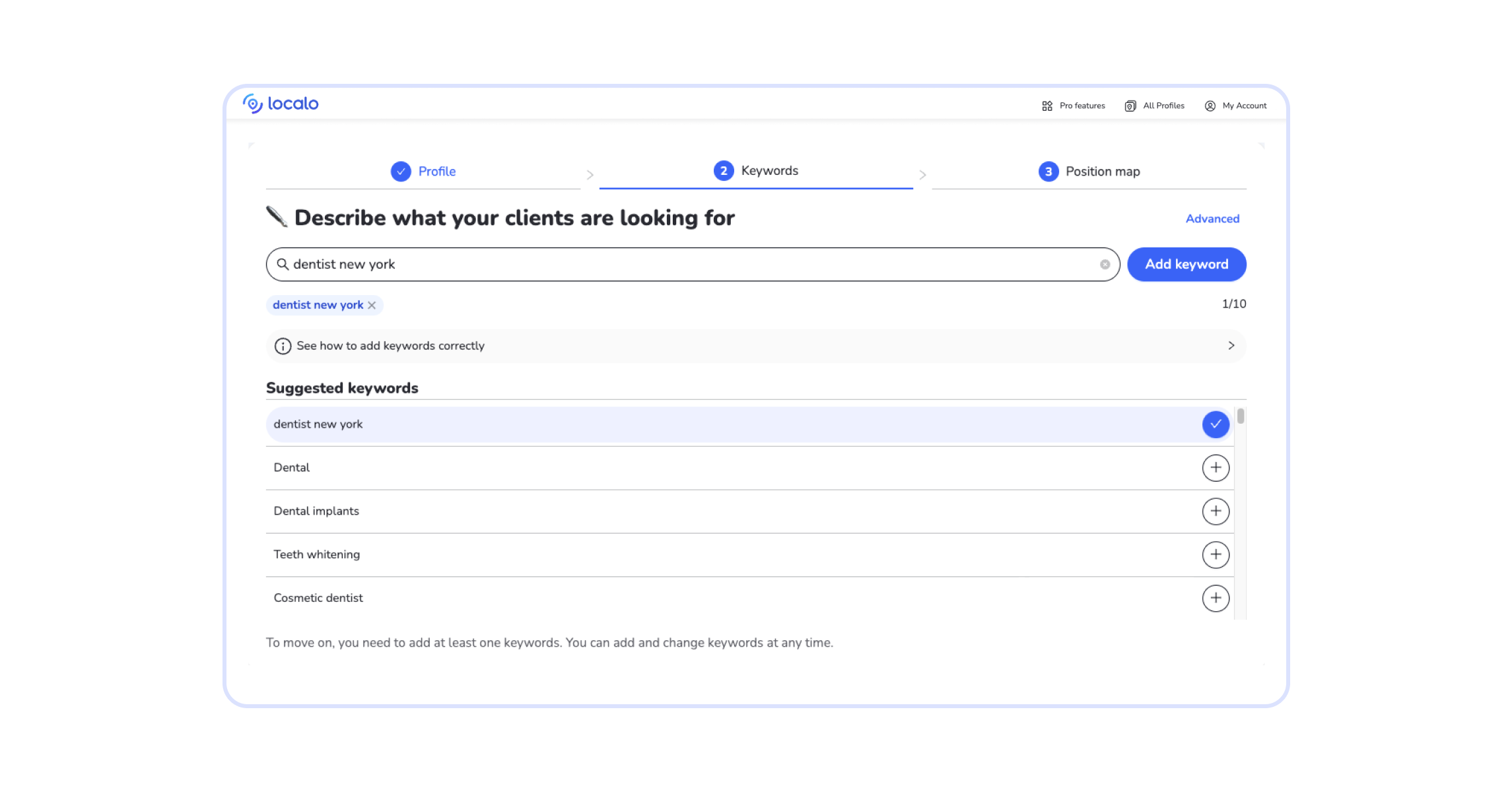
When you’ve got a list of relevant local SEO keywords, you can optimize the Google My Business profile name and description.
GBP name & description
Businesses rank higher on Google maps when they have:
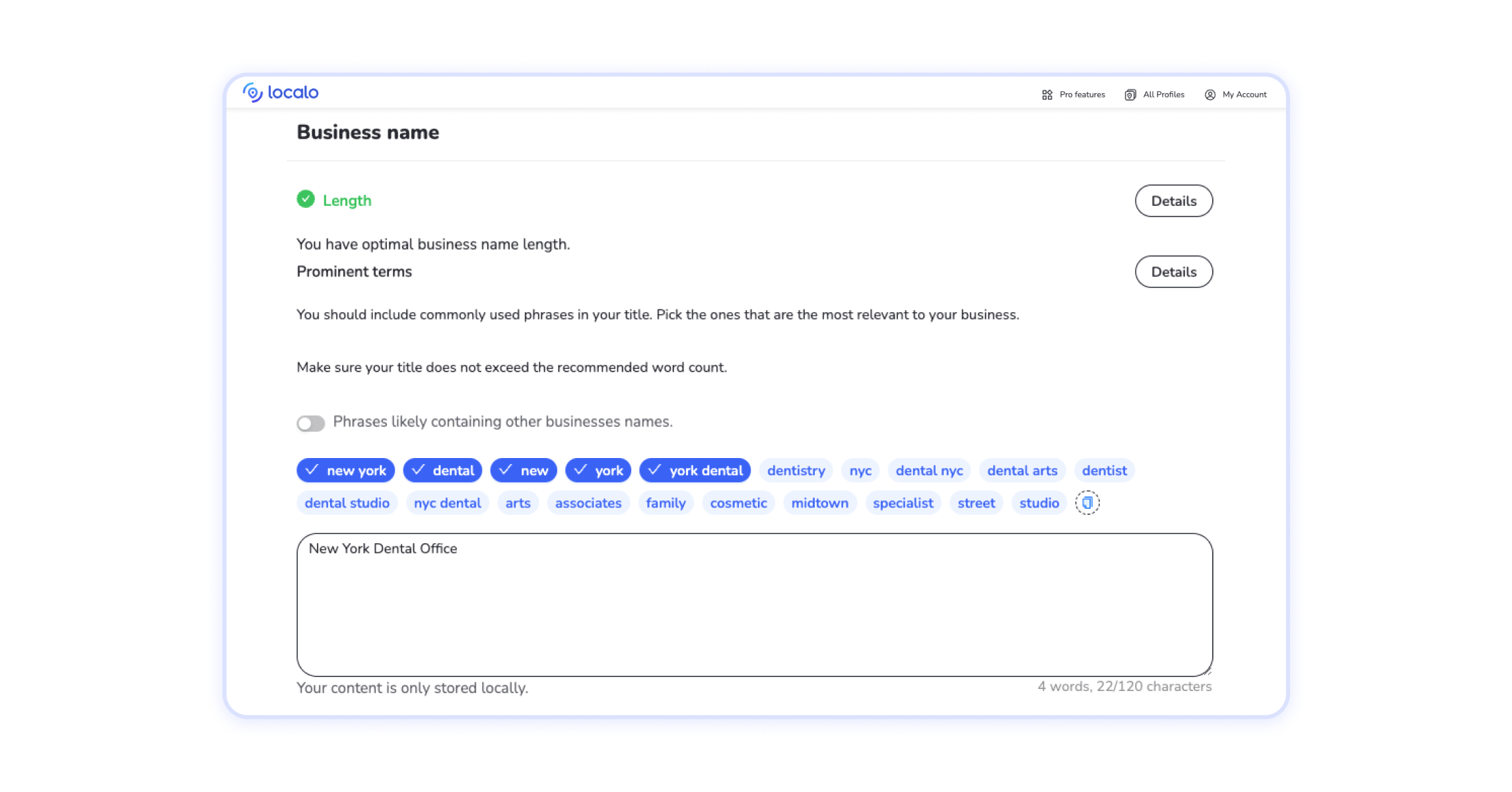
- Business name that features a relevant keyword (up to 125 characters)
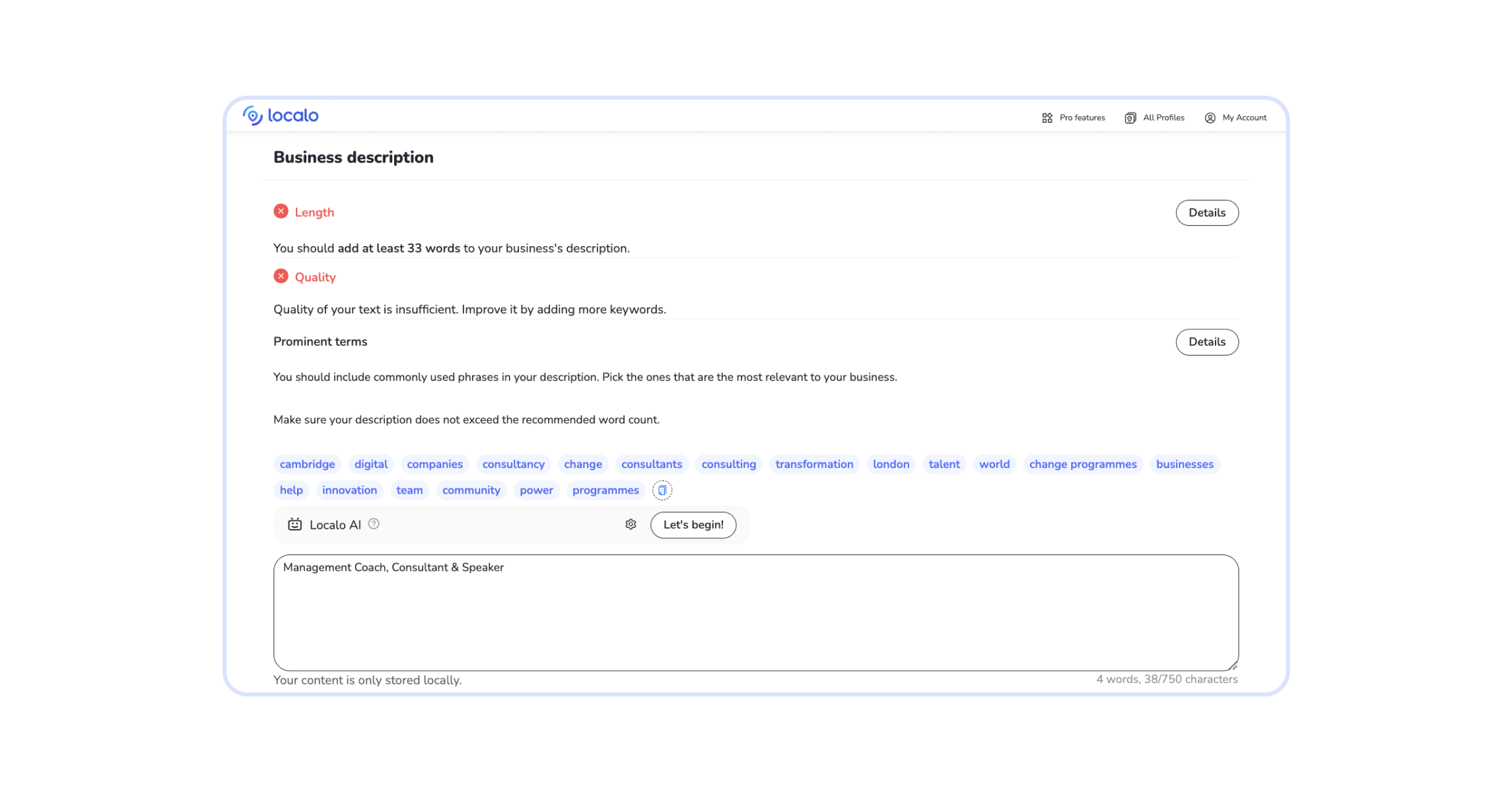
- Business description with relevant keywords (up to 750 characters)
Generally, clients have little knowledge and/or time to do local SEO work. They often put just the main part of the company name in the GMB profile, not knowing how to optimize the profile name, e.g., “Al Forno” instead of “Al Forno Pizza Restaurant”. When doing Google Business Profile optimization for a restaurant, the name and business description must use a few keywords that customers likely use to find similar establishments, such as: Italian restaurant in LA, vegan burgers, Indian food, etc. However, all has its limits: Google Business Profile guidelines prohibit marketing taglines and trademarks, plus anything irrelevant to the business.
A dental clinic may have a GMB description that says:
Reputable dental clinic established in 1998 in Boston by Helene Rayana, DMD. Friendly atmosphere and high-quality services. Family discounts available.
A description like that does little for GMB’s 3-pack ranking. Performing Google Business Profile optimization can turn the description into a more effective one, such as:
Dental clinic in Boston offering quality services for 20+ years. We offer affordable dental treatments, including emergency dentist visits, same-day dental appointments, sedation dentistry, and teeth-whitening treatments. Established by a dedicated family dentist Helene Rayana, DMD. Flexible payments and family dental packages available.
➡️ When optimizing the Google Business Profile description:
- Add relevant keywords
- Keep it concise and to the point
- Use a friendly and approachable tone
- Include unique selling points that can attract new customers
- Go for 300–600 characters
Google doesn’t allow low-quality and irrelevant content, special offers, and links of any type in business descriptions.
Profile completeness
A business profile on Google must go beyond the info that matters to customers. Opening hours and available facilities are important, but they won’t move the business to #1.
➡️ Optimized GBP includes:
- Primary category & subcategories
- List of services or products offered at the specific location
- Quality photos showing the location and services/goods
- Posts updated regularly
- Correct and up-to-date address (P.O. boxes and mailboxes aren’t allowed)
- Up-to-date contact information: phone number, website, opening hours
- Relevant information such as amenities and payment options.
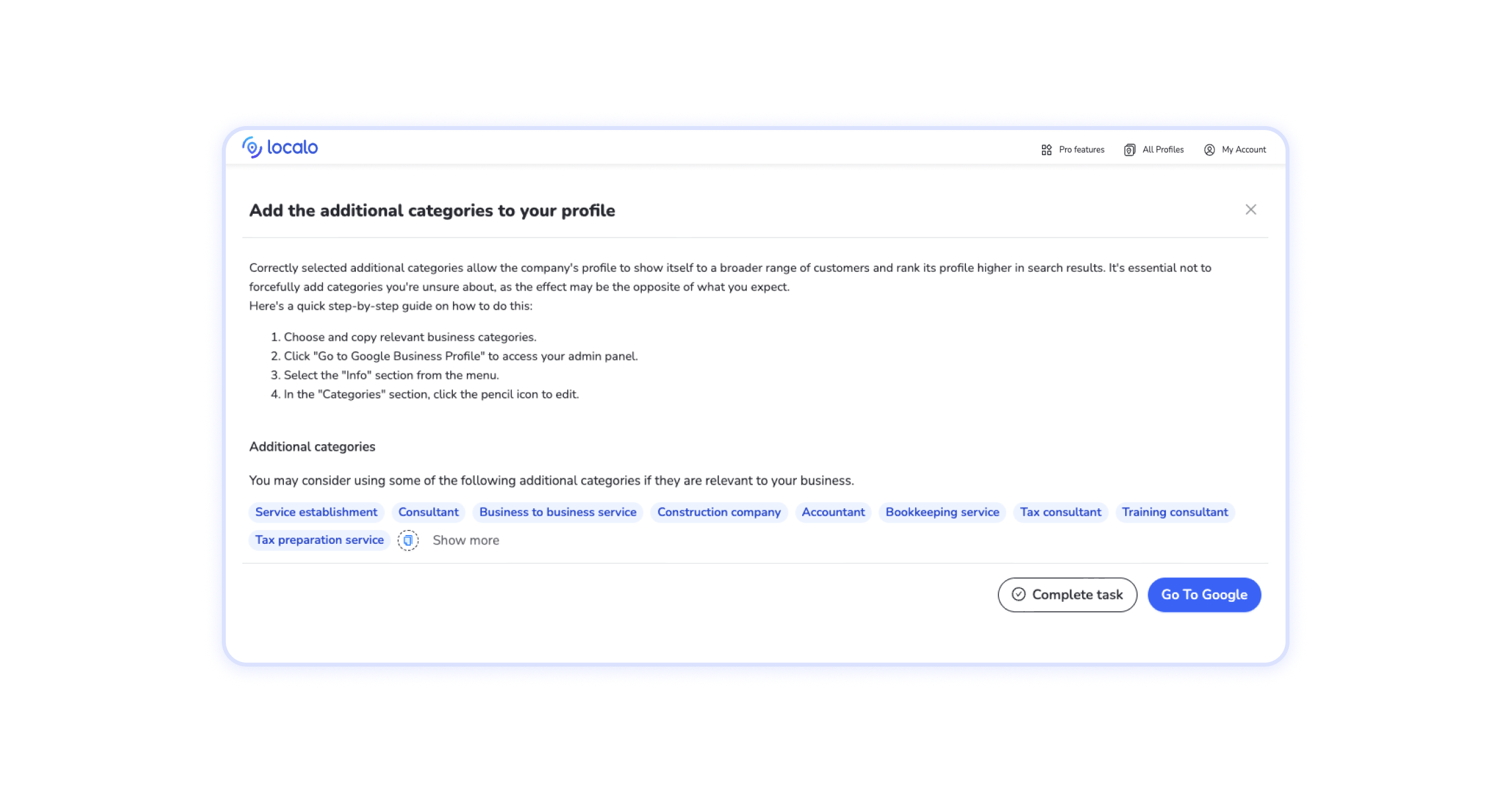
Google recommends choosing categories that describe the business as specifically as possible. For example, when performing Google My Business optimization for law firms, the primary category would specifically state the main practice area, such as “Family Law Attorney”, and secondary categories would match family law subsets, e.g., “Divorce Lawyer” and “Child Custody Attorney”.
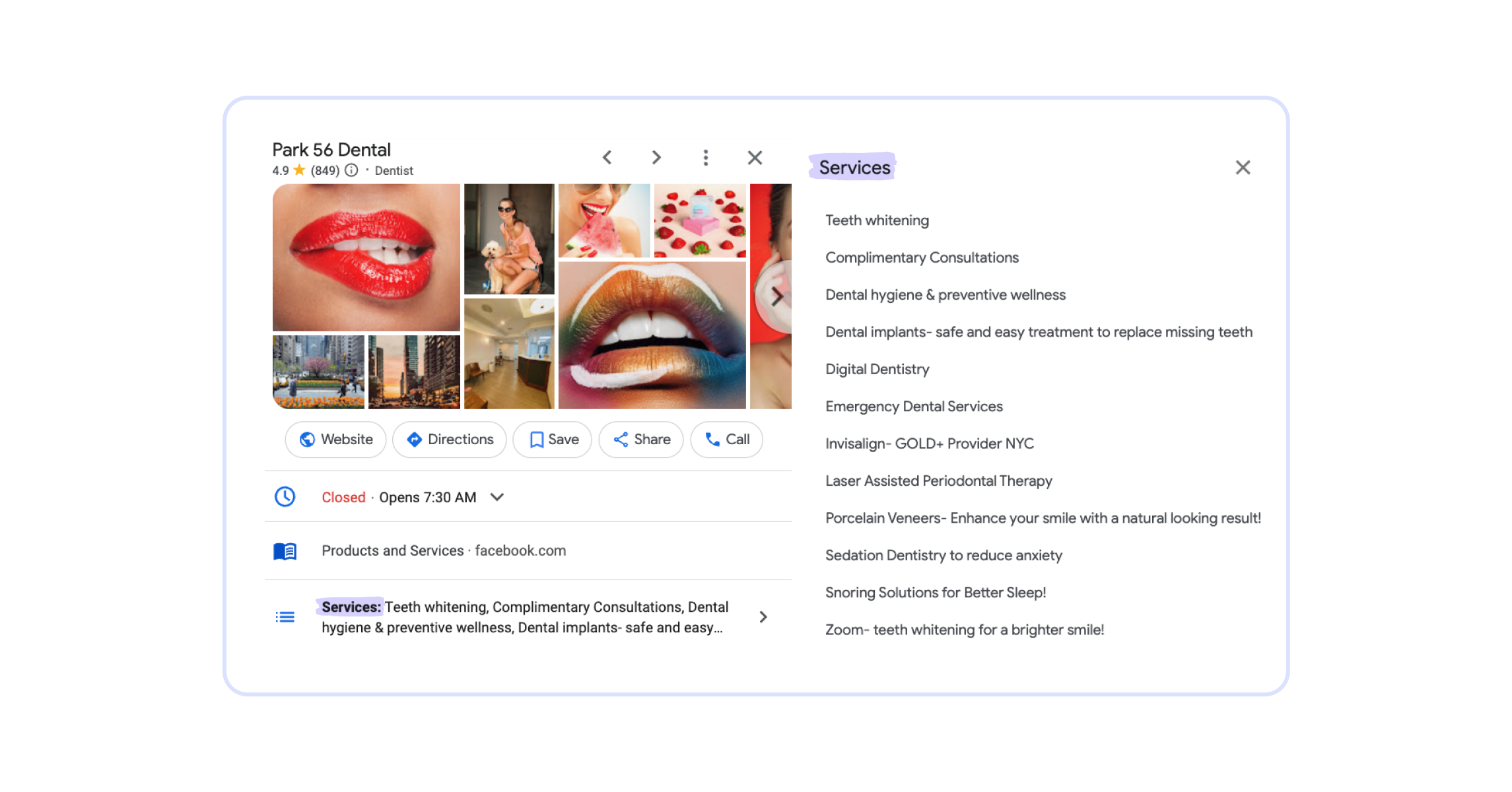
Don’t skip Services: they should list subsets such as “child support”, “spousal support”, “marital agreements”, and other relevant activities that fully represent the scope of available services.
Name-Address-Phone
NAP (Name, Address, and Phone number) consistency is a baseline requirement for local SEO. Your job is to ensure that the client’s NAP is accurate across all online directories; consistent data helps Google verify the legitimacy of a given business, plus it ensures customers can easily reach the company.
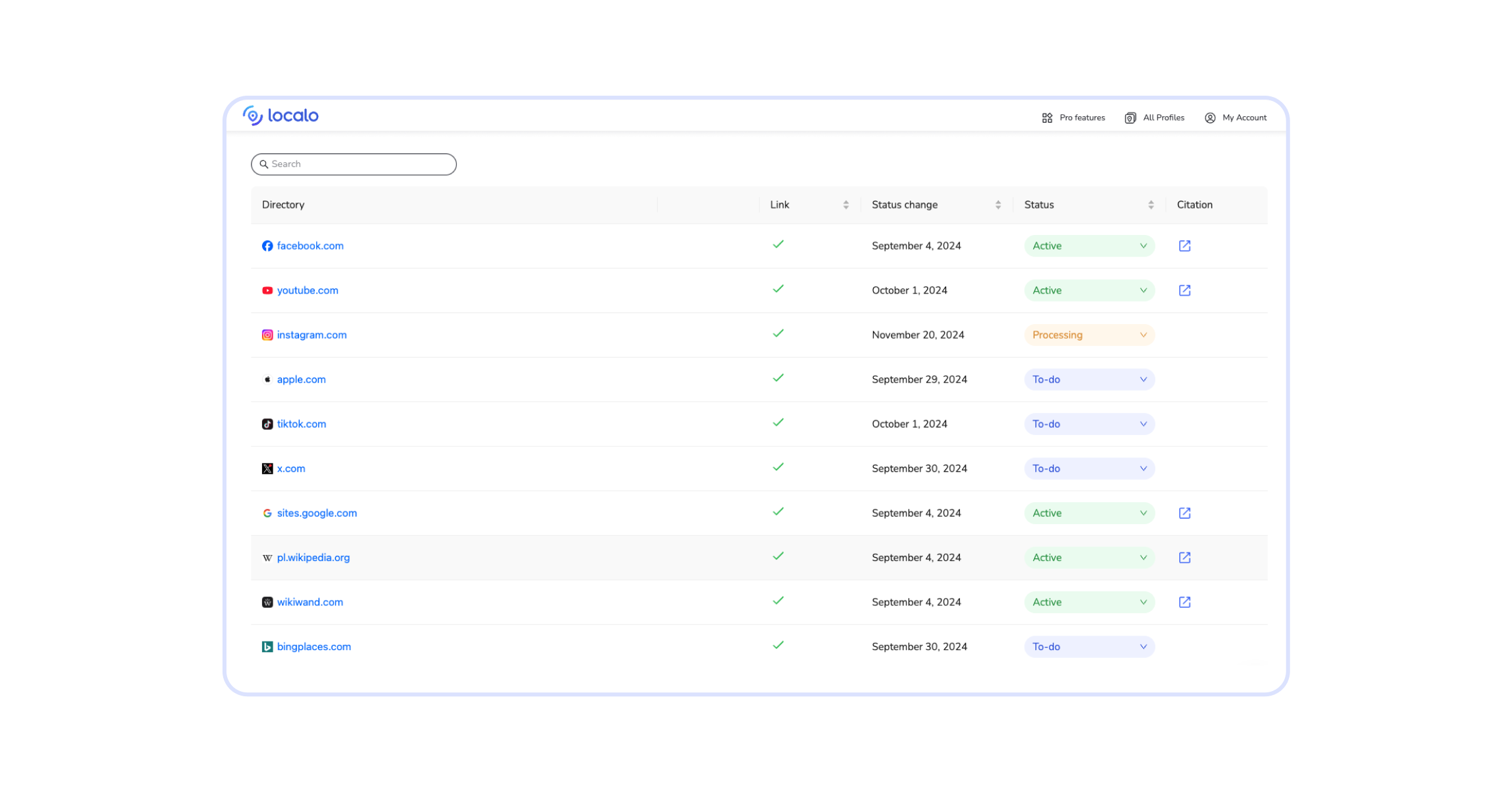
➡️ Actions you should take on clients’ behalf:
- Claim their profiles in online directories
- Add clients’ profiles to listing aggregates and popular platforms
- Copy & paste their NAP to ensure it’s consistent and error-free everywhere
- Update clients’ NAP in all directories when anything changes
💡Tip: NAP local citations can get created without yours or your clients’ knowledge, and that’s when things get tricky. On the one hand, more citations are better for local SEO, on the other: inaccuracies are more likely to occur. As your client base grows, you’ll need a citation management tool to keep NAP information under control.
Posts & business updates
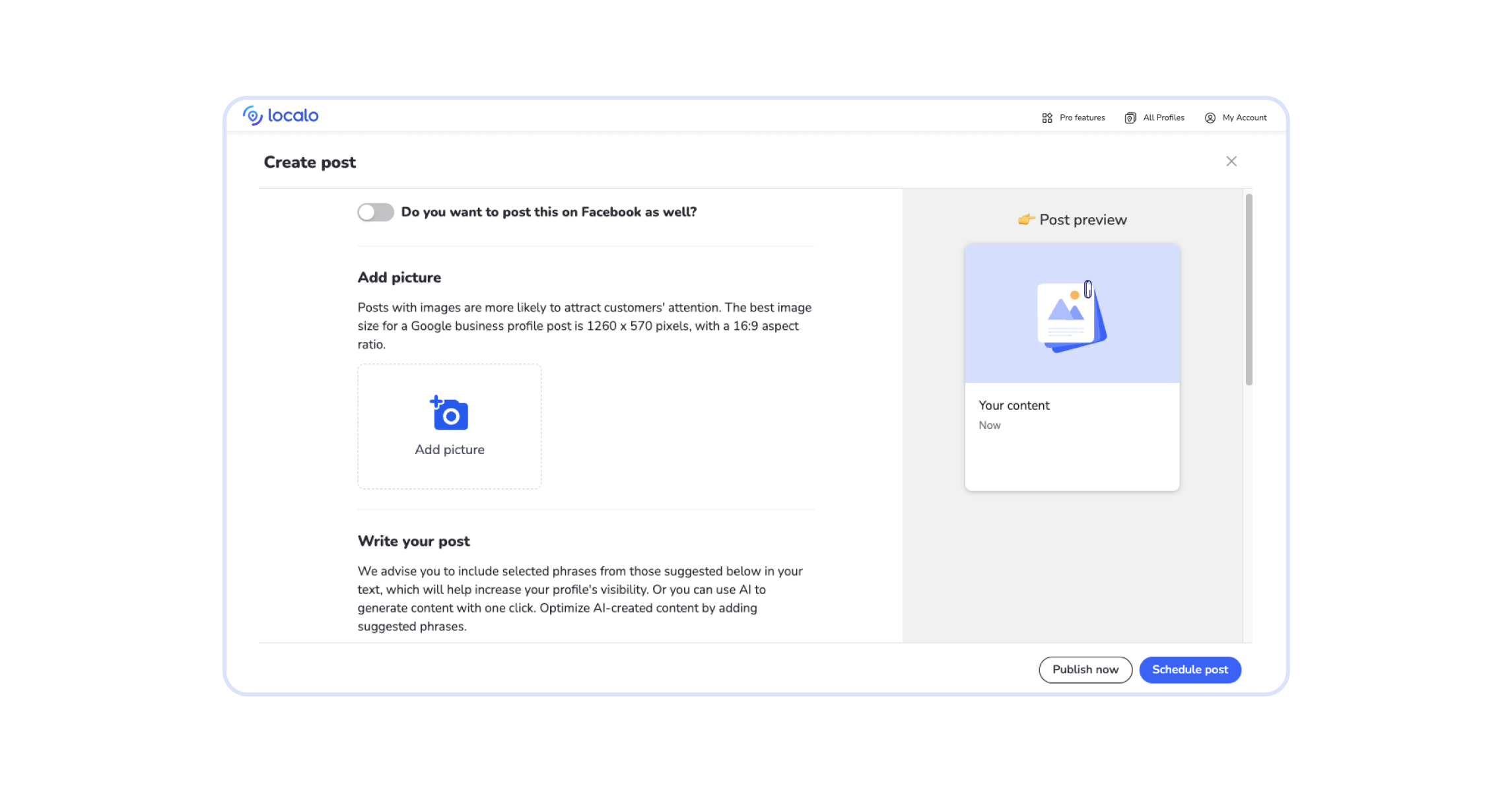
GBP posts help businesses connect with their client base, but owners often forget about this feature. Effective GMB posts are concise, include relevant keywords, and feature photos or videos to boost engagement. Google Business Profiles offer three standard types of posts: update, offer, and event.
➡️ Common post ideas include:
- new available products or services
- seasonal offers
- promotional events
- holiday opening hours
- new restaurant menu
Per Google’s guidelines, posts can include CTA buttons, coupon codes, links, and terms & conditions of offers. You can schedule posts in advance and set recurring content to show up weekly, monthly, or at a custom frequency.
Proximity, prominence, & relevance signals
Google Maps ranking depends on the physical proximity to the user’s location, meaning: businesses that are closer appear higher in local search results. That’s especially important when people use “near me” in their query.
Since it’s unlikely that your client will move their physical location to reach new customers, you must utilize relevance and prominence signals to outrank competitors. How?
- Relevance is gained by optimizing the Google Business Profile with keywords, the right categories, services, etc.
- Prominence depends on the GBP rating and reviews, plus links to the customer’s page from authoritative sites like directories or local outlets
These two factors combined can help to beat proximity. Simply said, if your client’s business is better than their local competitors, they will appear higher in the local map pack.
For example, when you’re working on GMB SEO for an organic coffee shop in a busy urban environment, ranking #1 for “coffee to go near me” will be difficult because of local joints that offer basic coffee, including gas stations, 7/11s, etc. However, they can beat competitors for “cozy organic coffee shop”, which is more specific and closer to what they actually offer.
💡Tip: It’s worth explaining these technicalities to your customers. They want to rank higher on Google, but they can’t beat all competitors in all locations.
Metrics that matter to you & clients
Clients paying for local SEO services expect concrete results:
- getting to #1 in the Google Map pack
- boosting visibility to reach new prospective clients
- improving profile engagement to build relationships
…and increasing revenue through all these actions in the end.
Tracking key local SEO metrics will help both you and your clients to understand the results.
Visibility
Businesses you work with want to be in the top 3 search results in as many areas as possible. Visibility depends on the factors I’ve mentioned earlier, and tracking it is best done using specialized geo-grid tools. Such apps feature detailed maps with a grid overlay that shows business ranking in various locations.
💡Tip: The business owner checking positions from the walls of their company will see the business ranks #1 because they’re at the exact location and opening hours closest to the intent behind the query. That’s why they need to see what potential customers see when searching from various locations within their service area.
Visitor activities
An optimized Google Business Profile turns visibility into tracked actions: views, calls, bookings, and direction requests. When Maps users interact with the GBP by clicking on various tabs, that means they aren’t just browsing; they want to learn more about this specific place to use the services and are getting ready to buy the products on offer. Google Business Profile shows visitor activities in the Performance section.
➡️ You can monitor:
- profile views
- search queries with exact keywords that visitors used
- calls & bookings made from the GBP
- direction requests
- website clicks
- messages with the business
- viewed products
- opening the menu content
- viewing offers
Checking these metrics over time will help your customers see the results of your work. They will also signal potential issues. For example, when views are high but conversions very low, it might indicate that clients expected something else; maybe the categories, business description, or profile photos need reconsidering.
Reports
Reports have two big advantages: they help you analyze key metrics and help your Google Maps SEO agency demonstrate results. If you have just a handful of clients, you can track GBP stats in spreadsheets to monitor performance, but it won’t be feasible for a large client base. That’s when local SEO tools are helpful, as many apps have auto-generated and white-label reporting options.
➡️ Reports you’ll need to make:
- Audit reports to identify areas for optimization
- Visibility reports with heat maps showing local pack results in various locations
- Performance reports showing how users interact with the GBP
- Review reports tracking customer sentiment, customer ratings, and response rate
Evidence of before & after
If you want to pitch new clients, show them evidence. That can include the work you’ve done already for several businesses, highlighting how GBP optimization boosted profile views and calls. Local SEO agencies can publish case studies presenting their most impressive achievements on LinkedIn to attract new leads.
If you can’t show previous work, audit a prospect’s GBP and outline potential results of optimization. Showing potential results can help to turn a local SEO lead into a paying customer.
💡Tip: Managing customer expectations for local SEO work can be tricky. Always set realistic timelines for your optimization projects. Optimizing a Google My Business profile for a restaurant in an area with very small competition will bring new customers much quicker than working on a GBP for an attorney at a location with multiple competing law firms. Don’t promise overnight successes that you won’t be able to deliver.
How to optimize multiple GBPs efficiently?
When you work with a large number of clients, manual GBP optimization becomes impossible. Even a tiny typo or copy-paste mistake in NAPs could lead to lost opportunities. Agencies managing multiple Google Business Profiles need to create dedicated workflows that utilize the automation, reporting, notification, and bulk-action options available in local SEO tools.
💡Tip: Local SEO agencies can create a business profile on Google to work on multiple GBPs. This way, you can set up user profiles and give permissions to your team members responsible for managing specific Google Business Profiles.
Automate repetitive tasks
Performing local SEO actions manually for several GBPs is inefficient. Automation will help your Google Maps SEO company save time and limit the risk of human error.
➡️ What’s best to automate:
- Review collection: automate review requests after each sale or visit
- Review management: set up notifications, sentiment analysis, and replies to user reviews
- Content generation & posting: automate creating engaging posts and scheduling them in advance
- Listing updates: keep business information, opening hours, amenities, etc. up-to-date
- Profile syncing: combine GBP information with other platforms to publish updates on all profiles
- Reporting: set up recurrent reports to monitor GBP performance
Use batch operations
Batch operations matter most when your client book includes multi-location businesses: chains, clinics, or brands with dozens of profiles under one name. Google offers the option of managing businesses with 10+ locations in bulk. You can create a spreadsheet with address & contact details of all locations to handle updates.
➡️ Third-party tools can also perform other bulk actions:
- Review management
- Post scheduling
- NAP audits
Create a GBP optimization workflow
Plan the workflow for GBP optimization and stick to it when you get a new client. A four-week cadence works for most single-location clients. It will help you ensure that all customers in the agency receive the right treatment and that all local SEO actions are completed on time.
The specifics depend on your agency and client preferences: what services you include in a GBP optimization package, the software you use, etc.
➡️ Your workflow could include:
🗓️Week 1: existing GBP audit
🗓️Week 2: optimizing GBP name, description, categories, NAP
🗓️Week 3: create & schedule GBP posts
🗓️Week 4+: ongoing review management and performance monitoring
Prepare a client onboarding procedure
Create a standardized onboarding procedure for new clients. It will help you ensure that your team isn’t missing a key piece of documentation when the business owner is on vacation.
➡️ Client onboarding should include:
- detailing what’s in your GBP optimization package and how you’re going to bill
- collecting GBP details, business information, social accounts, brand guidelines
- setting up a meeting schedule & points of contact
- explaining audit results and preparing GBP optimization plan
- outlining realistic goals for the next 3–6 months
- sharing access to reporting dashboards
Set up team responsibilities
If you’re using the GBP agency dashboard, you can set user permissions for your agency staff to ensure they have access only to specific profiles and features. Once your agency grows and you start using third-party tools for local SEO work, you’ll have to decide how many user accounts you’ll need for each.
Tools & software that support Google Business Profile management
If you’re a local SEO freelancer, you can start working on GBP optimization for a handful of clients directly in the Google Business Profile dashboard. But managing more than 3 GBPs manually is time consuming. Once your client base grows beyond that, you should start investing in reliable tools.
Here’s what local SEO experts and agencies need:
Google’s tools
Google Business Profile dashboard is where most of local SEO work is done.
➡️ Use the GBP dashboard to:
- Edit the business name & business description
- Choose primary and secondary categories
- Add location and contact details
- List services or products
- Respond to customer reviews
- Publish posts
- Monitor GBP performance, i.e., profile visits and viewer activities
GBP optimization software
The best Google Business Profile optimization software can handle a lot of local SEO work for you by auditing clients’ profiles, suggesting improvements, monitoring reviews, creating and scheduling posts, and tracking performance.
If you’re a freelancer eager to grow your client base, consider specialized software once you manage more than three individual Google Business Profiles.
➡️ Best local SEO tools for freelancers include:
- Localo: this platform has an integrated AI agent that can automate GBP audits, content creation, and review management. It’s very intuitive, and it waits for your approval before any suggested change reaches the client’s GBP.
- BrightLocal: it’s a popular choice thanks to automated auditing, review management features, and white-label reporting.
- Semrush Local: a part of a big SEO platform, which can be a good option if you also use other Semrush applications.
Best local SEO tools for agencies offer white-label reporting, multi-platform integration, and customizable dashboards. Prices of GBP optimization apps often depend on the number of profiles you manage and the number of accounts you need for your team.
➡️ Here are my top picks:
- Localo: makes GBP optimization easy even for new team members, as the integrated AI agent gives ready-made local SEO tasks based on audit results. Automation options include bulk actions and auto-generated reports, plus custom access levels to clients and team members.
- AgencyAnalytics: good choice for agencies handling massive client volumes thanks to integrating data from 80+ platforms into one dashboard with white-label reporting.
- BrightLocal: an all-in-one local SEO platform that works best for USA, UK, Canada, and Australian businesses
Rank tracking tools
These tools, known as local rank trackers or Google Maps rank checkers, use geo-grid maps to visualize what Google Maps users see when they search from different locations. You can use rank tracking software to analyze clients’ and their competitors’ local pack results.
➡️ Popular rank-tracking software includes:
- Local Falcon: it specializes in geo-grid rank tracking using detailed heatmaps with customizable grid density and scan radiuses.
- Nightwatch: this app boasts rankings from up to 100 GPS coordinates at the same time to deliver high-quality tracking depth.
- Localo: our user-friendly dashboard combines visual geo-grid rank tracking with GBP optimization, review management, content creation, and white-label reporting so you can have one tool for all local SEO tasks.
AI-powered tools
As I’ve mentioned earlier, performing GBP optimization for multiple clients is time-heavy. AI software can help you automate the most time-consuming activities such as regular audits, review management, and content generation. Some smart tools also offer actionable advice to help your clients perform better in local SEO.
➡️ Top AI GBP optimization tools include:
- Localo: this local SEO software features a helpful AI agent that suggests optimization tips based on the GBP’s industry and competitors, plus offers automation options to handle user reviews and posting.
- GMBMantra: this tool promises easy GMB management thanks to AI audits, automated review management, and content generation.
- Semrush’s GBP AI Agent: part of Semrush’s Local toolkit, the agent automates posting, review management, and optimization of business descriptions.
Free or paid tools?
Google My Business is free; the cost question is really about the workflow around it. Here’s the main concern with GBP optimization software: it’s all subscription-based. Details vary, as some tools use a credit-based system rather than monthly billing. But specifics aside, the cost of GBP tools can be a hurdle for freelancers and small agencies.
Is it possible to do GBP optimization with free tools? Sure. You can perform your audits, keyword research, and posting manually through the free Google interface. You can also use AI chatbots to create GBP posts or write reviews. If you have just one or two clients, that’s probably the smartest option for you. Go for paid software when you have 3+ clients, as manual optimization, review management, posting, visibility tracking, and reporting will otherwise consume all your working hours.
💡Tip: Many tools offer customizable pricing depending on the number of GBPs. Subscription costs for a boutique agency with 7 clients will be different from high-volume marketing agencies. As an example, Localo’s Pro10 plan is dedicated to agencies and freelancers handling up to 10 profiles, while enterprise clients receive a customized offer tailored to the agency’s needs.
What to charge for GBP optimization services?
In local SEO, it’s common that no two clients are the same. One might be a small local bakery that has no online presence, and the other could be a popular healthcare provider opening a new location and aiming at improving their star rating.
➡️ Your rate for GBP optimization should vary depending on:
- services you include in the optimization package
- specific objectives of your optimization work
- if it’s a one-time optimization or ongoing GBP management service
- local SEO competitors’ fees
Make your pricing transparent and easy to understand so your clients can choose the service they need most. The same service menu becomes the backbone of your Google My Business optimization service proposal: prospects should see at a glance what they’re buying. For example, your service menu could include:
💼 One-time optimization fee with a flat rate range depending on competition. A one-time GBP optimization typically includes:
- fixing the NAP
- optimizing the GBP name and description
- setting correct categories
- uploading initial media
💼 Monthly fee for ongoing GBP management per location:
- monitoring positions and GBP keywords
- publishing weekly posts and uploading photos
- review management
- creating monthly reports
When a client asks why optimization needs a monthly fee, remind them that a Google Business Profile is never “done”: competitors keep adjusting their profiles, reviews keep arriving, and rankings shift with every algorithm update. The recurring fee pays for staying in the local pack, not just getting there.
You can also offer performance-based payment based on metrics like calls or direction requests generated. However, this can be risky due to unpredictable algorithmic shifts or proximity factors out of your control.
💡Tip: Remember to factor in your overhead costs when setting up pricing. Overhead means software subscriptions plus your time spent on review monitoring, content creation, generating reports, or analyzing metrics.
Is there still room to sell GBP optimization services?
Short answer: yes. Every local business gets an advantage from visibility in Google Maps, yet most owners have neither the time nor the patience to maintain a profile themselves. That gap, between what businesses need and what they can realistically do on their own, is the market for local SEO services, and it’s why agencies keep adding GBP optimization to their offer.
You’ll also meet prospects who plan to do it themselves, and fair enough: the dashboard is free. What they can’t easily replicate is knowing which ranking factors move the needle in their industry, growing the review count month after month, and noticing when a competitor overtakes them in the map pack. A professional compresses months of trial and error into a few weeks of systematic work. That’s your pitch, and the audit-based evidence I described earlier is how you back it up.
And don’t worry that optimization software makes you replaceable. You sell a service powered by software: your expertise is what the client pays for, and tools only accelerate what you already know how to do, through automation and deeper data dives. That’s also your margin model: the subscription is a cost of delivery, while the expertise carries the price tag.
Frequently Asked Questions about GBP Optimization
What is Google My Business called now?
Google My Business became Google Business Profile in November 2021; the platform still manages how a business appears in Google Search and Google Maps.
What is a Google Business Profile?
A Google Business Profile is a free Google listing that controls how a business appears in Google Search and Google Maps, including contact details, opening hours, services, photos, and customer reviews.
What is Google local pack?
Google local pack, meaning the map pack or 3-pack, is the top spot of Google search results when you seek local services: an interactive map plus the three most relevant businesses in your area.
How to rank in the Google Map pack?
Ranking in the local 3-pack depends on business relevance, distance, and prominence: optimize the profile with the right categories and keywords, keep citations consistent, and collect authentic reviews to rank higher on Google Maps.
How to optimize Google My Business?
Optimize Google My Business by choosing specific categories, adding relevant keywords to the business description, keeping contact details accurate, and posting fresh photos and updates regularly.
Ready to put this guide to work? Pick one client’s profile and run a Localo audit on it today: you’ll get a prioritized list of the highest-impact Google Business Profile optimization tasks in about 20 seconds, and you can clear the first task before your next client call.